

CASE MANAGEMENT PLATFORM
Case and workflow management you can change quickly and defend completely.
Set up your workflow, records and client portal in days. Permissions, audit trail and record retention are built in from the first day.
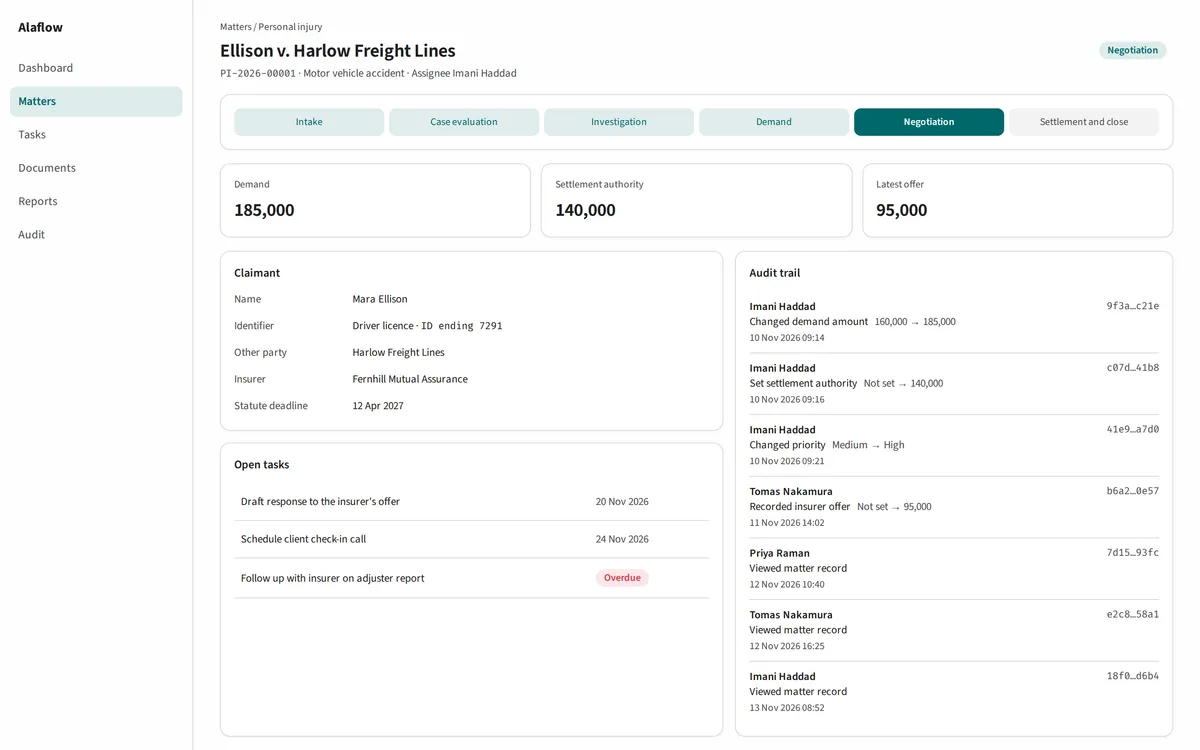
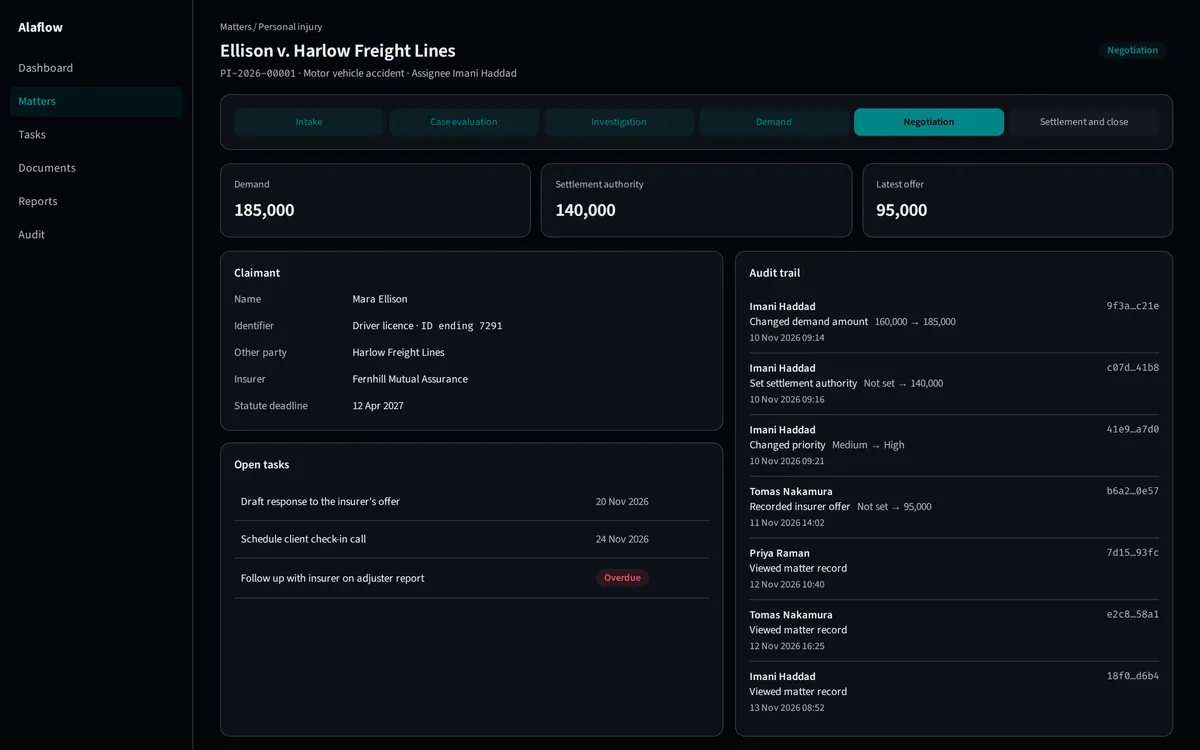
Built for the people who run regulated work.
Pick the one that sounds like you.
Operations leaders
Security and privacy leads
Frontline staff
People outside your organisation
Partners
THE PLATFORM IN ONE PICTURE
One platform. A ready-made service for each kind of regulated work.
Set up what you keep track of and what each record can do, in days, and change it as your rules change. Everything underneath is already built in and can't be switched off by accident.
The people who use it
Staff work on their own screens. People outside your organisation use a separate portal.
- Staff
- Applicants, residents, reporting parties and claimants on the portal
Your services
Set up for each kind of work, in days, and changed as your rules change.
- Legal matters
- Municipal permitting
- Compliance investigations
This layer and the two below it are set up in days and changed as your rules change.
What you keep track of
recordsThe record types your services need.
- A case
- A party
- A hearing, a filing, an order, a deadline
What each record can do
capabilitiesBuilding blocks you switch on for each record type.
- Stages and workflow, tasks, checklists
- Notes, documents, interactions, a timeline, reports
What is built in
controlsBuilt in from the first day, tuned to your rules when your services are built, and not switched off by accident.
- Access control and classification
- Protected identifiers
- Retention and legal hold
- Audit trail and emergency access
Built in from day one. Cannot be switched off by accident.
START FROM THE WORK YOU DO
See how your work sits on it.
Pick a kind of work and watch the platform fill in. These are illustrative examples: your rules and records fit in the same places.
Choose a kind of work and the platform fills in.
The people who use it
- Staff
- Applicants, residents, reporting parties and claimants on the portal
Your services
- Legal matters
- Municipal permitting
- Compliance investigations
This layer and the two below it are set up in days and changed as your rules change.
What you keep track of
records- A case
- A party
- A hearing, a filing, an order, a deadline
What each record can do
capabilities- Stages and workflow, tasks, checklists
- Notes, documents, interactions, a timeline, reports
What is built in
controls- Access control and classification
- Protected identifiers
- Retention and legal hold
- Audit trail and emergency access
Built in from day one. Cannot be switched off by accident.
Municipal permitting
The people who use it
- Staff
- Applicants on the portal
What you keep track of
- An application
- The applicant
- Reviews and their comments
- Fee-payment state
- A permit
- An inspection and its findings
- A completion certificate
What each record can do
- Stages with deadlines
- Parallel reviews assigned to specialists
- Tasks and checklists
- Versioned documents
- Interactions
What is built in
- Access control
- Classification
- Protected identifiers
- Retention and legal hold
- Audit trail
- Emergency access
Environmental permitting
The people who use it
- Staff
- Applicants on the portal
What you keep track of
- An application
- The applicant
- Reviews and their comments
- Fee-payment state
- A permit
- An inspection and its findings
- A completion certificate
What each record can do
- Stages with deadlines
- Parallel reviews assigned to specialists
- Tasks and checklists
- Versioned documents
- Interactions
What is built in
- Access control
- Classification
- Protected identifiers
- Retention and legal hold
- Audit trail
- Emergency access
Compliance investigations
The people who use it
- The investigating team
What you keep track of
- A report or allegation
- The assigned investigator
- Evidence
- Interviews and calls
- Steps against deadlines
What each record can do
- Versioned documents for evidence
- Interactions for interviews and calls
- Tasks and checklists against deadlines
What is built in
- Access control
- Classification
- Protected identifiers
- Retention and legal hold
- Audit trail
- Emergency access
Medical examiner office
The people who use it
- Staff
- Authorised outside parties on a controlled portal
What you keep track of
- A case from intake
- Decedent and next-of-kin records
- Investigation steps with deadlines
- Reports produced from templates
What each record can do
- Stages with deadlines
- Templates to Word or PDF
- Documents
- A controlled portal for outside parties
What is built in
- Access control
- Classification
- Protected identifiers
- Retention and legal hold
- Audit trail
- Emergency access
Affordable housing and community development
The people who use it
- Housing staff
- Applicants and residents on the portal
- Funders and partners, with a limited view
What you keep track of
- An applicant household
- A waitlist place
- A unit and its lease
- An income recertification
- A support plan
- A repair or home-purchase file
- A funder and a grant
- A report to a funder
What each record can do
- Stages with deadlines
- Tasks and checklists
- Versioned documents
- Interactions
- Reports
- A portal for residents and applicants
What is built in
- Access control
- Classification
- Protected identifiers
- Retention and legal hold
- Audit trail
- Emergency access
Legal matters
The people who use it
- Staff
- Claimants on the portal
What you keep track of
- A matter
- Parties
- Tasks
- Documents
- The sample workflow
What each record can do
- Stages and deadlines
- Tasks and checklists
- Documents
- Interactions
- Reports
- Rules that guide data entry
What is built in
- Access control
- Classification
- Protected identifiers
- Retention and legal hold
- Audit trail
- Emergency access
Something else
Tell us about your work. The same building blocks apply: stages and deadlines, tasks and checklists, documents, interactions, reports, client portal. The controls that are built in still apply.
Everything a case needs, on one record.
Run the matter
One record, everything attached
Documents and reports
Security, privacy and proof
Client portal
AI assistance for staff
Dashboards you can trust
EVERY ACTION ON THE RECORD
Every action on the record. Any edit breaks the chain.
Each audit entry carries a fingerprint that includes the previous entry's. Change one and you can see every link after it fail.
Change the text of any entry, or delete one, then press Verify. Each fingerprint includes the one before it.
All six links are intact.
- 1Signed in
f101479852Intact - 2Opened matter M-1042
bfa7bcbce0Intact - 3Revealed identifier. Reason: identity check
35ec21c707Intact - 4Moved stage from Intake to Review
67afb9c08bIntact - 5Exported report R-17
ade3f2f41dIntact - 6Signed in
86dc2c9e88Intact
- 1Signed in
f101479852Intact - 2Opened matter M-1042
bfa7bcbce0Intact - 3Revealed identifier. Reason: none given
0646f1d3d0Broken - 4Moved stage from Intake to Review
c6b0703831Broken - 5Exported report R-17
5935175259Broken - 6Signed in
86dcd312abBroken
Each audit entry includes the fingerprint of the one before it, so changing one entry changes every fingerprint after it, and the integrity check shows exactly where the chain broke.
A REAL PROCESS, DRAWN AS A MAP
Your process, running in days. Every step with an owner and a deadline.
A sample matter: five phases, 13 stages, and a branch where it can go two ways.
At the offer decision the matter goes one of two ways. Choose one to follow it.
Phase 1 Intake and Investigation
3 stages
1 Initial consultation
- Owner: Intake coordinator. Target: 1 day.
- Starts when: A prospective client has contacted the practice.
- Done when: Contact details and the nature of the incident are recorded, and no conflict is found.
2 Engagement signed
- Owner: Attorney. Target: 3 days.
- Starts when: The conflict check is clear.
- Done when: A signed engagement agreement is filed on the matter.
3 Liability review
- Owner: Attorney. Target: 10 days.
- Starts when: Engagement is signed and evidence has been requested.
- Done when: A liability assessment is written and approved.
Phase 2 Medical Treatment and Records
3 stages
4 Treatment tracked
- Owner: Case manager. Target: 60 days.
- Starts when: The liability review is approved.
- Done when: The client has reached a stable point in treatment.
5 Records collected
- Owner: Records clerk. Target: 30 days.
- Starts when: Providers are identified.
- Done when: Records from every provider are filed, or a follow-up is logged.
6 Damages summary
- Owner: Paralegal. Target: 7 days.
- Starts when: Records are filed and reviewed.
- Done when: A summary of damages is reviewed by an attorney.
Phase 3 Demand and Negotiation
3 stages
7 Demand drafted
- Owner: Attorney. Target: 7 days.
- Starts when: The damages summary is reviewed.
- Done when: A demand amount is set, the demand is approved, and settlement authority is recorded.
8 Negotiation
- Owner: Attorney. Target: 30 days.
- Starts when: The demand has been sent.
- Done when: An offer is on the table, or the other side has declined.
9 Offer decision
- Owner: Client and attorney. Target: 5 days.
- Starts when: An offer has been received.
- Done when: The client accepts or rejects the offer.
Offer decision. The matter can go two ways.
If the offer is accepted
The matter goes straight to Resolution and Closing (stages 12 to 13).
If the offer is rejected
Phase 4 Litigation
2 stages
10 Complaint filed
- Owner: Attorney. Target: 5 days.
- Starts when: The client has rejected the offer.
- Done when: A complaint is filed and served.
11 Discovery and mediation
- Owner: Attorney. Target: 60 days.
- Starts when: Service is complete.
- Done when: The matter settles, or is ready for trial.
Then on to Resolution and Closing (stages 12 to 13).
Phase 5 Resolution and Closing
2 stages
Both paths end here.
12 Settlement documented
- Owner: Attorney. Target: 5 days.
- Starts when: An offer is accepted, or litigation has settled.
- Done when: A signed settlement agreement is filed.
13 File closed
- Owner: Paralegal. Target: 2 days.
- Starts when: All funds are disbursed.
- Done when: The closing checklist is complete and the retention clock has started.
One platform for permits, investigations, legal matters and housing programmes.
Each service below is set up on the same platform and the same built-in security.
Legal matters
Permitting
Compliance investigations
Medical Examiner Office
Affordable housing and community development
Give the people outside your organisation a place of their own.
Applicants, residents, reporting parties and claimants sign in to a separate portal. A staff session is refused there.
Deliver case-management services to your own clients.
Stand up a working, secure service in days. What you set up belongs to your client and travels with them. You will get hands-on onboarding.
Specific controls. Plain limits.
A tamper-evident audit trail
Protected identifiers
Legal holds that block disposal
Alaflow does not replace your statutory or regulatory process, your records schedule, or your own compliance obligations.